CROMA Books

The ebook editor that
lives in your browser.

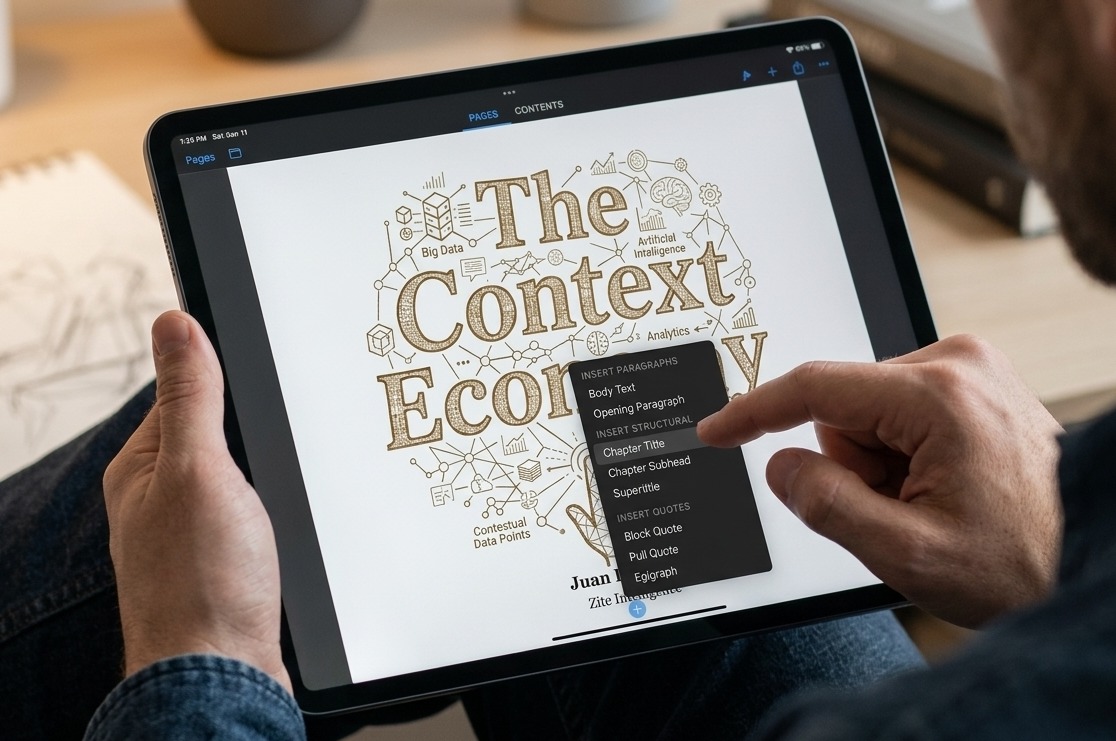
Books brings the power of a professional publishing suite to any browser tab. Design, structure, and refine everything from quick drafts to publication-ready ebooks using familiar creative tools.

Open Books — It's Free See what's inside

No account required  ·  Works in Chrome, Safari, Firefox & Edge
Books

Write freely.

Work with as many pages, chapters, and content blocks as your book needs. Every edit stays flexible until you're ready to publish.

Ready whenever you are.

Whether you're on your own computer, tablet, or phone, Books opens instantly in your browser so you can start writing in seconds.

Your work, your file.

Save every page, block, and style exactly as you left it. Reopen your project weeks later and continue working without missing a thing.

From rough drafts to finished publications.

Build books the way professionals do.

Ideas evolve. Pages let you rearrange, reorder, and restructure every part of your book independently, so experimenting never means starting over.

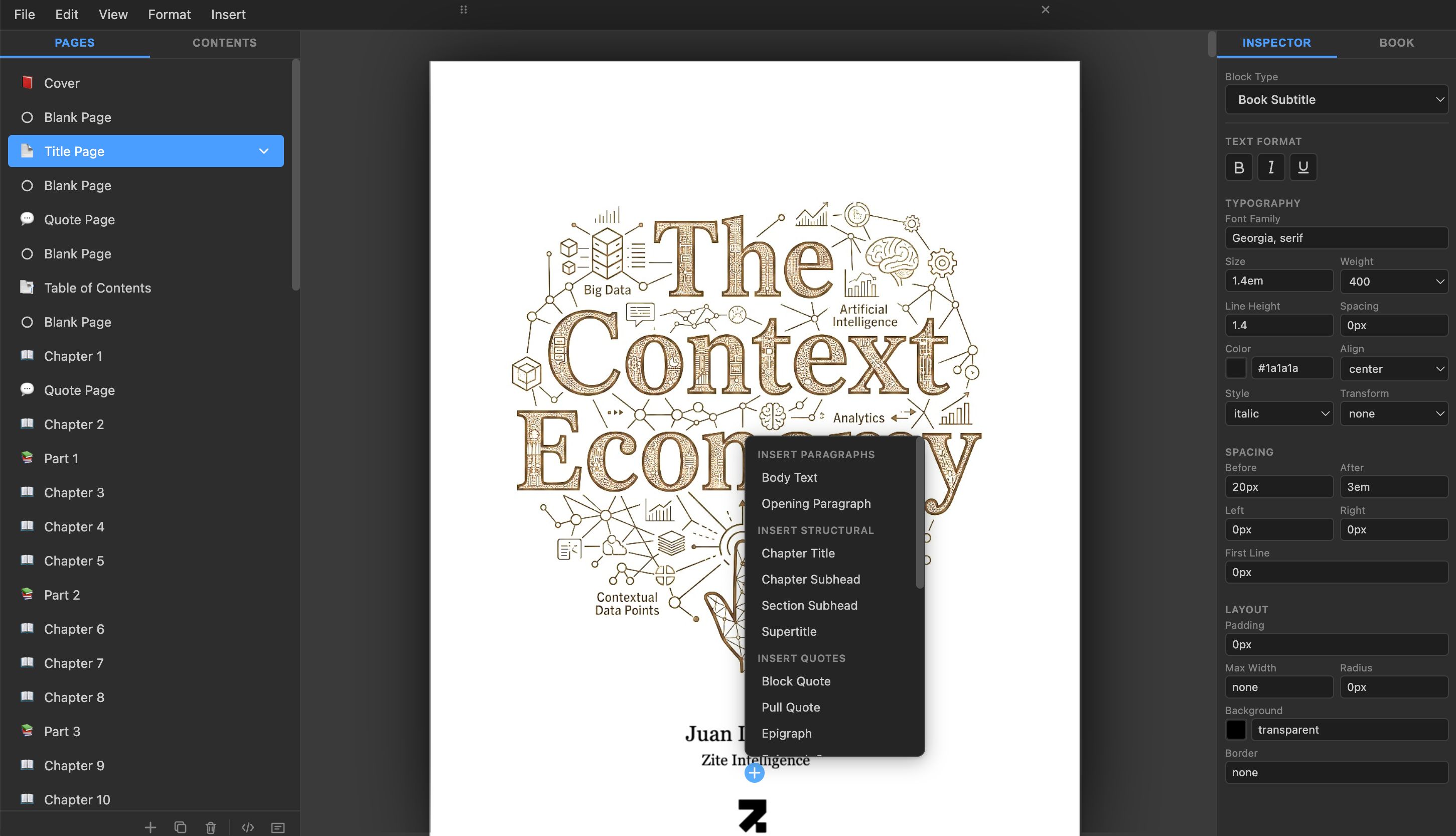
Keep chapters, front matter, and back matter separate and easy to manage. Organize complex manuscripts with semantic page types, drag to reorder sections, and use the table of contents to navigate your book as it grows.

Pages
Cover cover page
Title Page front matter
Chapter 1 body · 12 blocks
Chapter 2 body · 8 blocks

Design every word with intention.

Whether you're setting a chapter heading or fine-tuning body text, Books gives you precise typographic controls so every page reads exactly as you envisioned.

Adjust font families, sizes, line height, letter spacing, and text alignment. Apply drop caps, control indentation, and use shared paragraph styles that update every instance across your entire book at once.

Books

Modular structure.
Limitless flexibility.

Build pages from discrete content blocks — headings, body text, quotes, lists, images, and dividers. Each block carries its own type and style, giving you complete control over how content flows and is formatted.

Convert blocks between types instantly, drag to reorder within a page, split and merge paragraphs naturally, and insert structural elements like page breaks and section dividers wherever your narrative demands.

Chapter Title Body text paragraph block... Another paragraph block... Block Quote

Edit naturally.

From quick edits to deep revisions, the continuous editing surface makes every keystroke feel direct and fluid, whether you're drafting a new chapter or polishing a final paragraph.

Bold, italic, and underline with familiar shortcuts. Split and merge paragraphs with Enter and Backspace. Paste multi-line text that auto-splits into blocks. Format, restructure, and refine your manuscript with tools that help you move from rough ideas to polished prose quickly and precisely.

Books

Non-destructive. Always editable.
Always consistent.

Fine-tune typography, spacing, and layout at any time. Every style remains fully editable, making it easy to compare looks, revisit decisions, and refine your book's design as it evolves.

Font Size & Weight

Shape the visual hierarchy of your book with precise control over type size and weight.

Line Height

Set the vertical rhythm of your prose for comfortable, beautiful reading on any screen.

Letter Spacing

Dial in exactly the right feel, from tight display headings to open, airy body text.

Text Alignment

Align left, center, right, or justify to match each section's purpose and personality.

Drop Caps

Add elegant oversized initials to chapter openings for a classic editorial touch.

Indentation

Control first-line, left, and right indents to give each block type its own spatial character.

Space Before & After

Give headings, quotes, and paragraphs exactly the breathing room they deserve.

Text Transform

Apply uppercase, lowercase, or title case transforms that render without changing your source text.

Background & Border

Add subtle backgrounds and borders to callouts, quotes, and special blocks for visual distinction.

Share it your way.

Whether you're distributing on bookstores, sending a proof to an editor, or archiving your manuscript, Books lets you choose the format that best fits your project before you export.

EPUB Markdown .book
Export Settings
Books
Est. file size: 342 KB
Format
EPUB 3 ▾
Chapters
All
Metadata
Title, Author, Language
Export

Save the whole story.

Your .book file preserves every page, every block, every style definition, and every metadata field exactly as you left them. Reopen any project weeks later and pick up right where you stopped.

All pages with semantic types and ordering
Paragraph styles — typography, spacing, and layout fully editable
Content blocks with rich text formatting preserved
Book metadata: title, author, language, and accessibility fields
Backward-compatible format with automatic migration from older versions

Everything your publishing workflow needs

The little things matter. Page management, undo history, keyboard shortcuts, drag reordering, and export tools are all built in so your workflow stays smooth from first draft to final publication.

Page Types

Cover, title page, copyright, chapter, appendix, and more. Every page carries semantic meaning for proper EPUB structure.

Table of Contents

Auto-generated from your page structure. Always up to date as you add, remove, or reorder chapters.

Focus Mode

Hide all panels and focus entirely on your writing. Use zoom controls to find the perfect reading distance.

Drag & Reorder

Rearrange blocks within a page or reorder pages in the sidebar with intuitive drag-and-drop.

Undo & Redo

Full history for every edit — type, split, merge, convert, move, paste, and delete all undo cleanly.

Keyboard Shortcuts

Bold, italic, underline, undo, redo, and block-style shortcuts so your hands never leave the keyboard.

Your next book starts here.

Professional publishing tools. Nothing to install. Nothing to pay or subscribe to. Just open Books and start editing.

Open Books — It's Free

Questions? Answers.

Everything you need to know about Croma Books.

Croma Books is a modern book editor for creating professional EPUB books. Write, design, organize chapters, manage styles, preview pages, and export standards-compliant EPUB files from a single workspace.

Croma Books exports EPUB 3, the industry standard for Apple Books, Google Play Books, Kobo, and many other ebook platforms.

No. Croma Books includes professionally designed page types, typography presets, and reusable styles that help you create beautiful books without starting from scratch. Every style is fully customizable.

Yes. Croma Books exports standards-compliant EPUB files suitable for Apple Books and most EPUB-based bookstores and reading apps. Kindle users can publish the exported EPUB through Kindle Direct Publishing.

Yes. You can import Markdown documents to start a new book or continue writing in Croma Books.

Styles control the appearance of your entire book. Edit a style once and every block using that style updates automatically, ensuring consistent typography and formatting throughout your publication.

Yes. Every page type, including cover, title page, copyright, dedication, table of contents, chapters, and custom pages, can be customized while maintaining EPUB compatibility.

Croma Books generates standards-compliant EPUB 3 files following publishing best practices. The built-in validator helps ensure your book is compatible with major reading platforms before export.

Yes. Your books remain yours. Save your projects locally and export standard EPUB files that can be used with any compatible reading platform.

Croma Books is designed to feel familiar from the start. Built-in guidance and documentation help you learn the workflow, from writing your first chapter to exporting your finished EPUB.